In General Search, click on Add/Remove fields at the bottom of your search, then search "Features". Click the + next to "Features" and Save Changes.
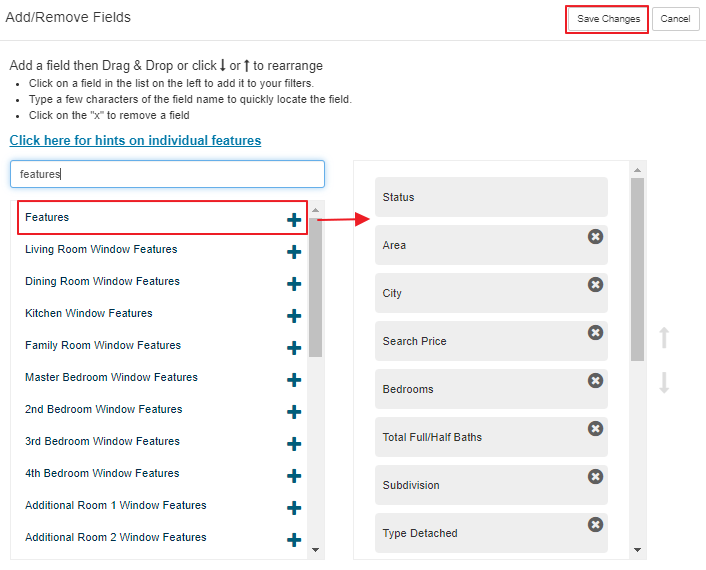
Once the "Features" field is added to your search, you will be able to easily search for items like Fenced Yard, Pool Above Ground, and many other features.

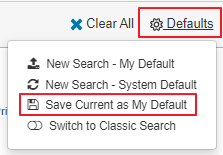
You can save this field as a default, so each time you search, you won't need to manually add it. To do so, click on Defaults > Save Current as My Default:
Was this article helpful?
That’s Great!
Thank you for your feedback
Sorry! We couldn't be helpful
Thank you for your feedback
Feedback sent
We appreciate your effort and will try to fix the article