The Cart page displays the properties and people that you've tracked. You can use the Cart page to export spreadsheets to use for mailers, call lists, or email campaigns.
Users can add up to 10,000 unique properties across all Carts. Each unique property counts once toward the total number of properties.
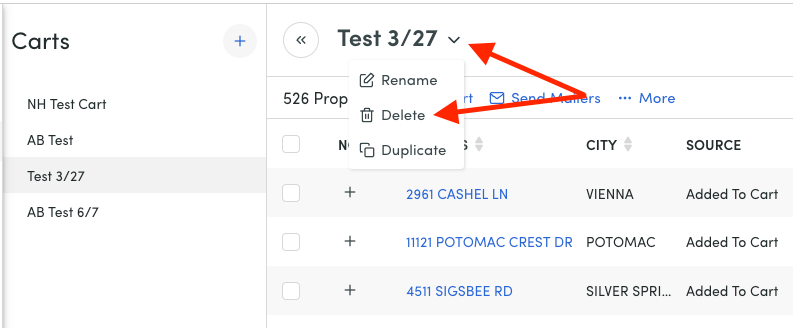
You can easily add or remove properties from Carts if they no longer meet your needs or the needs of your clients, and you can also delete a Cart by clicking on the drop down arrow next to the cart name and selecting 'delete'.
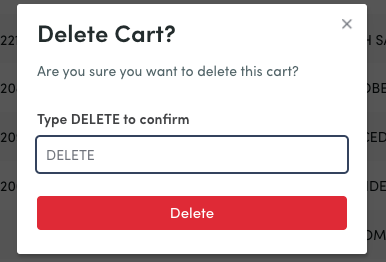
You'll then need to confirm the deletion by typing 'DELETE' into the pop up box. It is important to note deleted carts cannot be recovered.
Click here to get started with Carts.
You can learn more about Remine and all its helpful tools here.
Was this article helpful?
That’s Great!
Thank you for your feedback
Sorry! We couldn't be helpful
Thank you for your feedback
Feedback sent
We appreciate your effort and will try to fix the article